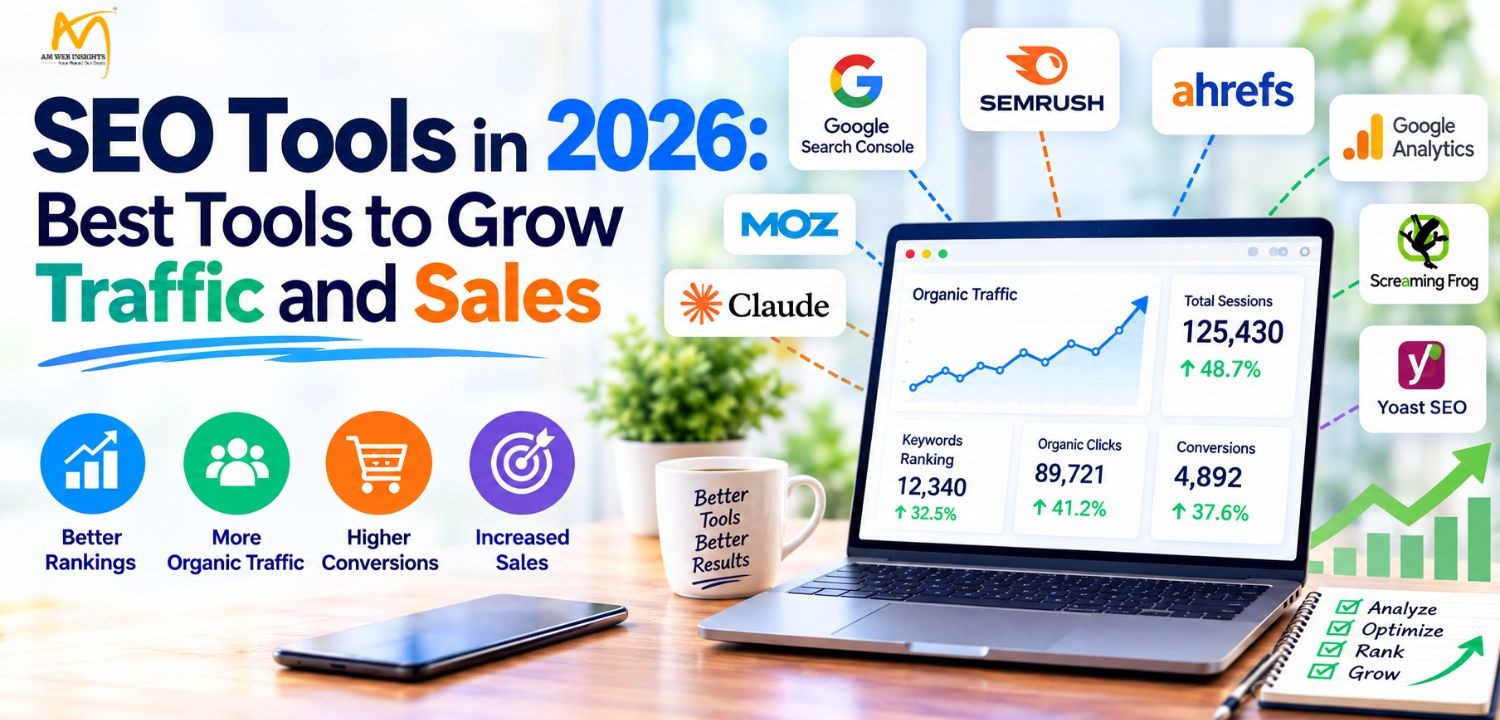
Ranking on Google used to be the whole game. It isn’t anymore.
Your buyers still use Google, sure. But plenty of them now ask ChatGPT or Claude which product to buy, run research on Perplexity, or read the AI summary at the top of the results page and never click a link. If your brand doesn’t show up in those places, you’re invisible at the exact moment someone makes a decision.
The good news? The right tools fix most of this. Some handle the old-school work, like broken links and rankings. Others track whether AI platforms mention you at all. Below are 12 that are worth your time in 2026: a mix of proven SEO platforms and newer visibility trackers.
Businesses looking to improve their visibility across traditional search engines and AI platforms can explore our AI SEO services to understand how search optimization strategies are evolving.
AI Platforms Shaping the Future of SEO
1. Claude (Fable 5.1)
Semrush gives you the data. Claude Fable 5.1 helps you do something useful with it. It is an AI model from Anthropic, and it works like a smart SEO assistant that you can talk to in plain English. You paste in your data, pages, or ideas, and it helps you analyze, plan, and write faster.
Keyword Clustering and Content Planning
Export a list of 500 keywords from your keyword tool and paste it in. Ask Fable 5.1 to group them by topic and search intent. It can tell you which terms belong on one page and which need their own. You get a clean content plan in minutes instead of hours in a spreadsheet.
Content Briefs and Outlines
Give it your target keyword, your audience, and a few competitor URLs or headings. It builds a brief with the H1, H2s, key points, questions to answer, and internal link ideas. Writers get a clear map before they start.
Drafting and Rewriting
Fable 5.1 can draft sections, rewrite weak paragraphs, and match your brand voice. Feed it a sample of your writing, and it follows the tone. It is also good at making a page simpler to read, which helps both users and search engines. Always edit the final copy yourself and add real examples and original insight.
Optimizing for AI Search
AI tools prefer pages that answer questions clearly. Ask Fable 5.1 to review a page and suggest where to add a direct answer, a summary, a comparison table, or an FAQ block. It can also write FAQ sections based on the questions people ask about your topic. This is useful for appearing in AI Overviews, ChatGPT, and Gemini answers.
Technical SEO Help
It can write schema markup (FAQ, Article, LocalBusiness, Product) from your page content. It can also draft meta titles and descriptions in bulk, suggest redirect maps, and explain Site Audit errors in plain language. If you export a crawl report, paste it in and ask what to fix first.
Content Audits
Paste in an old blog post and ask what’s outdated, thin, or missing. It flags gaps against the search intent and suggests updates. Refreshing old pages is one of the fastest ways to win back traffic.
Where It Fits in Your Workflow
- Pull keyword and competitor data from Semrush.
- Paste it into Fable 5.1 to cluster, plan, and brief.
- Draft and refine the content with it.
- Check rankings and AI visibility again in Semrush.
Learn more about optimizing your brand’s visibility in Claude through our Claude AI SEO services.
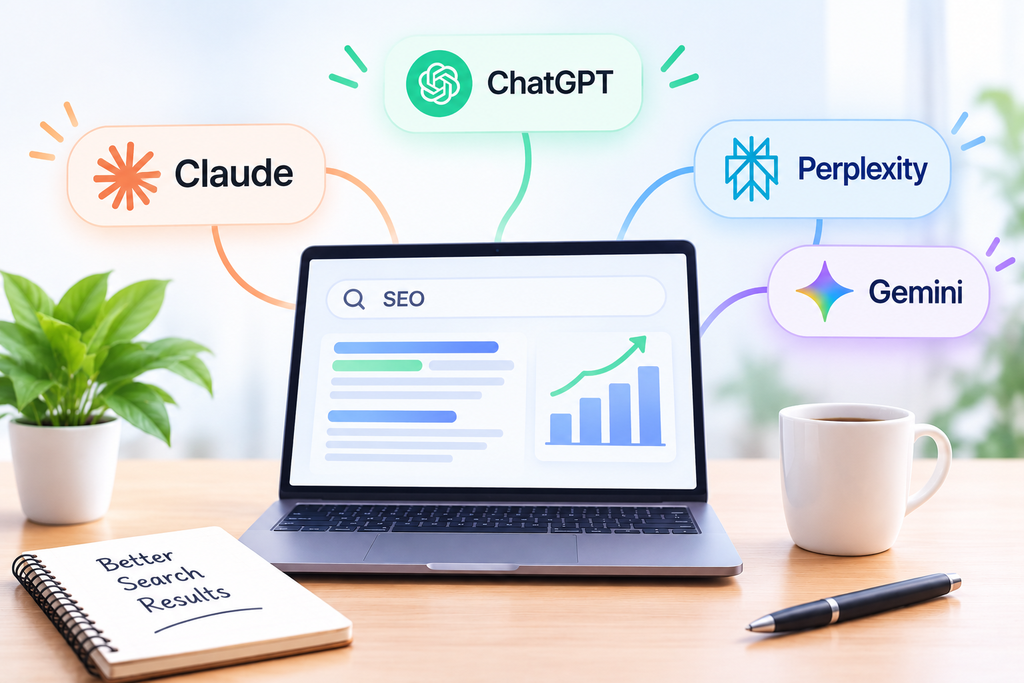
2. Gemini
Gemini 3.8 Flash is Google’s high-speed, lightweight model designed for rapid processing and real-time task execution. Open any SEO workflow, and it generates schema, parses long-tail keywords, extracts content gaps, and organizes competitor data right in your pipeline. It’s handy for processing massive site crawls and data sets in seconds.
The broader Gemini Ecosystem is the platform behind it. You get:
- Real-Time Web Grounding: High-speed web access that continuously scrapes updated web pages to pull fresh data directly into AI Overviews and answer cards.
- Multimodal Extraction: Native understanding of text, image alt-tags, and visual layouts, helping rank visual assets and infographics in search answers.
- Long-Context & Agentic Operations: Deep reasoning across high token volumes, making it easy to parse complex XML sitemaps, cluster search intent, and perform full-site content audits.
- Schema & HTML Parsing: Native handling of structured markup – it writes error-free JSON-LD code (like FAQPage or Product schemas), so engines quickly extract key information.
3. ChatGPT
GPT-6 Astra is OpenAI’s advanced AI engine designed for SEO strategy, content planning, and workflow synthesis. Integrate it into your search strategy, and it clusters keyword lists, builds content briefs, structures outlines, and drafts targeted sections right inside your publishing pipeline. It’s handy for transforming raw SERP notes and SEO research into actionable briefs in seconds.
- Intent & SERP Synthesis: Deep analysis of search engine result pages, helping group keywords by user intent, identify content gaps, and define distinct page types.
- Content Brief & Outline Building: Multimodal reasoning that maps out high-ranking H2/H3 structures, brand positioning, and target subtopics before drafting begins.
- Prompt Stack Operations: Modular step-by-step task processing, allowing teams to execute keyword clustering, section drafting, internal linking, and metadata optimization in controlled stages.
- Optimization & Quality Assurance: Advanced text refinement that formats content for clarity, adds FAQ markup, identifies missing search entities, and reviews articles against quality search guidelines.
4. Perplexity
Perplexity AI impacts SEO across two distinct fronts: streamlining everyday strategy execution and serving as a high-value discovery channel for Generative Engine Optimization.
For daily workflows, Perplexity leverages real-time web retrieval to conduct competitive gap analysis, surface emerging search intent, and audit live search engine results pages instantly. Its advanced reasoning modes assist SEO professionals in clustering keyword sets, mapping topical authority, and generating error-free JSON-LD schema markup for structured data implementation.
When optimizing content to earn citations within Perplexity’s synthesized answer cards, formatting is critical. The engine relies heavily on –
- extractable content blocks,
- favoring web pages that use direct one-sentence answer summaries,
- clear H2 and H3 subheadings,
- clean comparison tables, and structured bulleted lists.
Perplexity prioritizes information gain and recency over traditional link volume.
Most Effective SEO Tools of 2026 That Can Enhance Your Sales
There are several SEO tools, but choosing the right one is the first step to enhancing sales in your business. And here, you will find the most relevant, powerful, and expert-recommended SEO tools. If you incorporate the SEO applications into your research strategy, it will help you generate inbound leads to your website and, ultimately, can boost overall sales in your business.
1. Semrush
Semrush started as a keyword tool. Now it’s a full marketing suite covering SEO, competitor research, content, local listings, PR, and AI visibility. Here’s what’s worth using.
Keyword Research and the Keyword Magic Tool
Keywords are the words people actually type into search. If you run an electronics store, you might target “best TV under $500” or “cheap smartphone.” Semrush shows each term’s search volume, difficulty, CPC, and intent, so you aren’t guessing.
The Keyword Magic Tool is where it gets fun. Enter one seed word, and it returns thousands of variations, long-tail phrases, and questions, grouped by topic. It’s perfect for building content clusters.
Keyword Gap
Enter your domain and up to four competitors. The tool shows which keywords they rank for and you don’t. Click the “Missing” tab, and there’s your content plan. You can compare root domains, subdomains, or exact URLs.
Site Audit
Good content still sinks if the site is broken underneath. Site Audit crawls your pages and flags broken links, duplicate content, missing meta tags, slow pages, crawl blocks, and HTTPS problems. Issues are sorted by severity, so you fix the worst ones first. Run it at least once a month.
Content Toolkit
The Content Toolkit handles topic research, content briefs, AI-assisted drafting, and rewrites of existing pages. It shows what top-ranking competitors cover, and it can adapt copy to your brand voice or turn a blog post into email and social content.
AI Visibility, Prompt Research and Brand Sentiment
Semrush’s AI visibility tools track how often your brand appears in ChatGPT, Google’s AI Mode, Perplexity, and Gemini, and how it’s described there. Positive, neutral, or negative? You’ll see it. Prompt research shows the longer, conversational questions people ask AI tools in your niche and which brands get named in the answers. Spot the gaps, then write pages that fill them.
Local SEO and Digital PR
The local tools let you manage business listings, track map rankings, and respond to reviews. The PR side helps you find journalists, monitor brand mentions, and pitch stories. Both build the authority signals AI models rely on.
Businesses targeting customers in specific geographic areas can benefit from our Local SEO services to improve their visibility in local search results.
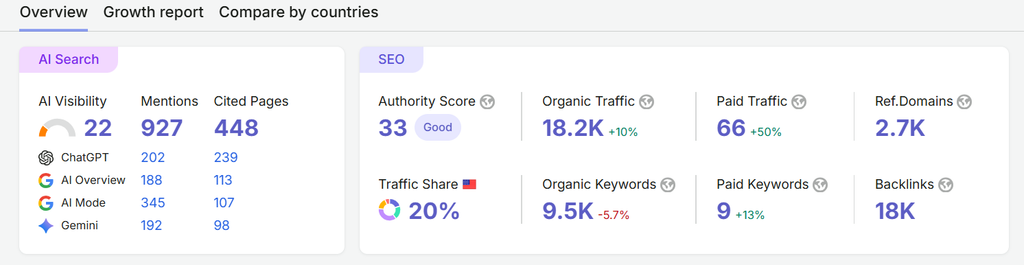
AI Search in Domain Overview
Domain Overview now has an AI Search box at the top. It shows how visible any domain is in AI-generated answers. You can check your own site or a competitor’s in seconds.
It has three main numbers:
- AI Visibility – A score that shows how often and how prominently your brand appears in AI answers. A higher score means AI tools see you as a trusted source.
- Mentions – The number of times AI tools name your brand in their responses.
- Cited Pages – The number of your pages that AI tools use as a source and link to in their answers.
Below these, the box splits the data by platform: ChatGPT, Google AI Overview, AI Mode, and Gemini. This tells you where you show up and where you don’t. Maybe Gemini mentions you often, but ChatGPT never does. Now you know where to focus.
Traffic from classic rankings is only half the story now. This box shows the other half: whether AI tools are talking about you.
2. Ahrefs
Ahrefs built its name on backlink data, and it’s still the best at that. In the last two years, though, it has also grown into a serious AI search platform.
Site Explorer
Enter any domain to see its organic keywords, backlinks, top pages, and estimated traffic. Backlink reports now sort links by page type and category, so you understand their context, not just their count. The Top Pages report even shows how many AI answers each page appears in.
Keywords Explorer
Keywords Explorer gives you search volume, difficulty, traffic potential, and click data. Newer additions include global keyword research across markets and historical search volume, which makes seasonal swings easy to spot.
Site Audit
Site Audit checks for broken links, redirect chains, HTML issues, and slow pages. Always-on audits alert you when something breaks. Bulk AI content detection flags pages that lean too heavily on machine-written text.
Backlinks
Backlink reports now include page type and page category filters. Page types show whether a link comes from an article, listicle, or tool, while categories reveal the niche. You can separate editorial links from low-quality ones and focus on links that build real authority, with data available in exports, the API, and MCP.
Rank Tracker
Track positions by location, watch SERP features, and monitor competitors. You can now import historical data from Site Explorer, so newly added keywords don’t start with a blank history.
Brand Radar
This is the big one. Brand Radar tracks your mentions across ChatGPT, Gemini, Copilot, Perplexity, Grok, AI Overviews, and AI Mode. It shows which pages get cited, which prompts trigger your brand name, and where competitors beat you. If you add only one GEO feature to your stack, make it this or Semrush’s equivalent.
Other Useful Additions
- AI Content Helper: Scores your draft on how well it covers the topics competing pages cover, instead of counting keywords.
- Bot Analytics: Shows which bots crawl your site, including AI crawlers, and flags fake bots pretending to be Googlebot.
- Web Analytics: Privacy-friendly traffic tracking with events, funnels, and GA4 imports.
- Ask Ahrefs: An AI assistant that reads your data and answers questions like “Why did traffic drop last week?”
3. Moz Pro and MozBar
MozBar is a free Chrome extension. Open any page and it shows Domain Authority, Page Authority, link counts, and on-page elements right in your browser. It’s handy for sizing up a competitor in five seconds.
Moz Pro is the paid platform behind it. You get:
- Link Explorer: One of the biggest link indexes around, with DA, spam score, and new or lost links.
- Keyword Explorer: Volume, difficulty, and SERP analysis, plus keyword lists you can save and sort.
- Competitive Research: Keyword gaps and overlap with your rivals.
- Rank tracking and site crawls: The basics, done well.
One thing people get wrong: Domain Authority isn’t a Google metric. It’s Moz’s own score predicting how well a site might rank, based mostly on its link profile. Use it to compare sites, but don’t chase it.
4. Screaming Frog SEO Spider
Want to see your site the way Google does? Screaming Frog is a desktop crawler that moves through every page and pulls out the problems. The free version crawls up to 500 URLs, which covers most small sites. A paid license removes that cap.
It finds broken links, redirect chains, duplicate content, missing titles, and robots.txt blocks. It renders JavaScript sites too. Newer versions can also connect to AI APIs during a crawl, so you can generate alt text or classify pages at scale. Technical SEOs practically live in it.
5. Google Search Console
It’s free, and it comes straight from Google. If you’re not using it, start today.
Search Console shows which queries bring people to your site, along with your clicks, impressions, average position, and CTR. It tells you which pages are indexed, which aren’t, and why. You’ll also get email alerts for manual actions, security issues, and Core Web Vitals problems.
The new Generative AI report, found under Performance, shows how often your pages appear in AI Overviews and AI Mode. You can see impressions by page, country, device, and date, so you know which pages Google’s AI is pulling in. It doesn’t show clicks or queries yet, and it can’t separate AI Overviews from AI Mode.
At the time of writing, AI Overview and AI Mode traffic is lumped into the regular Performance report with no separate filter, which is annoying. Still, if impressions climb while clicks drop, AI answers are probably taking the click. That’s a sign to strengthen the page so it gets cited.
6. Google Analytics 4
Search Console tells you how people find you. GA4 tells you what they do once they land.
You can track events like form fills, purchases, and button clicks, then build funnels to see where visitors drop off. Predictive metrics estimate how likely visitors are to purchase or churn, which helps you target audiences in Google Ads. GA4 also connects to Search Console, Google Ads, and BigQuery.
Here’s a useful 2026 trick: set up a custom channel group for AI referrals. Otherwise, traffic from chatgpt.com, perplexity.ai, gemini.google.com, and claude.ai hides inside “Referral.” Split it out, and you’ll see how much traffic AI search actually sends you, and whether those visitors buy.
7. Bing Webmaster Tools
It’s easy to ignore, and that’s a big mistake. Bing’s index feeds Microsoft Copilot, and ChatGPT search has relied on Bing data as well. If Bing can’t crawl you, you’re losing AI visibility without knowing it.
The tool covers keyword research, site scans, backlink data, and search performance. It supports IndexNow, which pings Bing the moment you publish or update a page. The newer AI Performance report shows how often your content gets cited in Copilot and Bing’s AI answers. That’s rare data, and Google doesn’t offer anything like it yet.
8. Google Keyword Planner
It’s built for Google Ads, but SEO folks have used it forever. And it’s free.
Type in a product, service, or competitor URL, and you get keyword ideas with monthly search ranges, competition levels, and top-of-page bid estimates. High bids usually signal commercial intent, and those are the terms that make money.
The catch? Without an active ad campaign, you’ll often see broad ranges like “1K–10K” instead of exact numbers. That’s fine for brainstorming. Pair it with Semrush or Ahrefs when you need precision.
9. Ubersuggest
Neil Patel’s Ubersuggest is the budget pick. You get a few free searches a day, and paid plans cost far less than Semrush or Ahrefs.
It covers keyword ideas, search volume, difficulty, top-ranking content for any keyword, backlink data, and a basic site audit. There’s also an AI writer and a content ideas tool. The data isn’t as deep as the big two. For freelancers and small businesses just starting, though, it’s plenty.
10. WooRank
WooRank is a straightforward audit tool for agencies and small teams that want quick answers without a steep learning curve.
Enter a URL, and you get a scored report on on-page SEO, mobile usability, speed, technical issues, and backlinks, with fixes explained in plain language. It tracks keyword rankings by region and lets you keep an eye on competitors. The branded PDF reports are a nice touch if you send updates to clients.
11. Surfer SEO
Surfer helps you write pages that cover a topic as fully as the pages already ranking for it. Enter a keyword and the Content Editor gives you a live score, suggested terms, headings, and word count targets based on the top results.
It also audits existing pages and shows what’s missing. Newer features include AI visibility tracking, which shows whether your brand appears in AI answers. Don’t follow the score blindly, though. Stuffing in terms to hit 100 makes for awful reading.
12. Rank Math
Running WordPress? Rank Math handles most on-page SEO right inside the editor. The free version covers meta titles, descriptions, XML sitemaps, redirects, and breadcrumbs.
Its big strength is schema. You can add FAQ, Product, Article, Local Business, and Review markup without touching code, which helps both Google and AI tools read your pages. It also connects to Search Console, so key data shows up on your WordPress dashboard. Yoast SEO is the main alternative and works just as well for the basics.
Bottom Line
Search didn’t die. It spread out.
People still use Google. They also ask ChatGPT, browse Perplexity, and trust AI summaries. You need tools that cover both: Search Console, Screaming Frog, and a platform like Semrush or Ahrefs for the fundamentals to track AI visibility.
That’s where professional SEO services can help, from finding website issues to improving content for search engines and AI tools.
You don’t need all 12. Start with the free ones, add one paid platform, and spend your energy on content worth citing. Tools find the problems, but you still have to fix them.
Frequently Asked Questions
Is SEO dead because of AI, or is it still important in 2026?
No. AI tools pull much of their information from pages that search engines have already crawled and ranked, so strong SEO makes it more likely AI will find and cite you. What’s changed is the goal. Rankings aren’t the only win anymore. Being mentioned in AI answers counts too.
What is the difference between SEO and GEO?
SEO aims to rank your pages in Google and Bing results. GEO aims to get your brand mentioned or cited inside answers from ChatGPT, Perplexity, Gemini, and Google’s AI Overviews. The two overlap heavily: a clean technical setup, clear writing, and real authority help both.
Is keyword research still important for SEO in 2026, and how has AI changed it?
Yes, but it looks different now. Keywords still show you demand and intent. In 2026, add prompt research as well: the longer, conversational questions people ask AI tools. Use keywords to find topics, then answer the full questions behind them.
What are the best free SEO tools for keyword research, website audits, and tracking rankings?
Google Search Console, Google Analytics 4, Bing Webmaster Tools, Google Trends, and Google Keyword Planner are all free. Screaming Frog’s free version crawls up to 500 URLs. MozBar and Rank Math have solid free versions, and Ubersuggest gives you a few free searches each day. That’s enough to run a small site well.
How can I get my website featured or cited in Google AI Overviews?
There’s no switch to flip. Rank well for the query first, since AI Overviews often draw from top-ranking pages. Answer the question clearly in the first couple of lines under a matching heading. Add schema, cite real data, and show who wrote the page. Short, direct, accurate content gets quoted most.
Can Claude AI help with SEO, keyword research, and content optimization?
Yes. Claude handles keyword grouping, outlines, meta descriptions, content briefs, and draft rewrites well, and with web search on, it can check current sources. It doesn’t show search volume or rankings, though. Use it alongside a data tool like Semrush or Ahrefs, and always fact-check what it gives you.

Ashu Rana
Ashu Rana is the Founder & CEO of AM Web Insights Private Limited, with 8+ years of experience in digital marketing. He specializes in SEO, Local SEO, Online Reputation Management (ORM), Google Business Profile optimization, and digital growth strategies. He has helped businesses and professionals across the USA, UK, Canada, UAE, and other global markets improve their online visibility, search rankings, and reputation.